Introduction
The best apps for making international calls have made it possible to reach anyone across the globe for a fraction of what traditional carrier roaming fees would cost.
Choosing between free and paid options, app-to-app calls and calls to regular phone numbers — the best apps for making international calls today offer something for every type of caller and every budget. This guide breaks down the leading options by price, call quality, ease of setup, and features so you can make a confident choice.
Whether you call family abroad once a week or coordinate a team spread across several continents, the right app has a direct impact on your bill and your call quality — read on.
Key Takeaways:
- The best apps for making international calls can cut costs by 80% or more compared to standard carrier rates.
- Free international calling apps like WhatsApp and Viber work best when both parties have the same app installed.
- Apps like Skype and Google Voice let you call any mobile or landline worldwide — no app required on the other end.
- A virtual local number paired with your calling app makes your outbound calls look local, dramatically improving answer rates.
What Are International Calling Apps?
International calling apps route phone calls through the internet instead of traditional telephone infrastructure using a technology called Voice over IP (VoIP). Because they bypass carrier switching networks, they can offer international call rates that are a fraction of standard roaming charges — sometimes as low as $0.01 per minute to popular destinations.
Anyone choosing among the best apps for making international calls today has two core options: app-to-app calls (free, but both parties need the same app installed) or calls to any phone number (a small per-minute fee, no app required on the recipient's end). Understanding this distinction up front makes the rest of your decision considerably easier.
Top Apps for Making International Calls
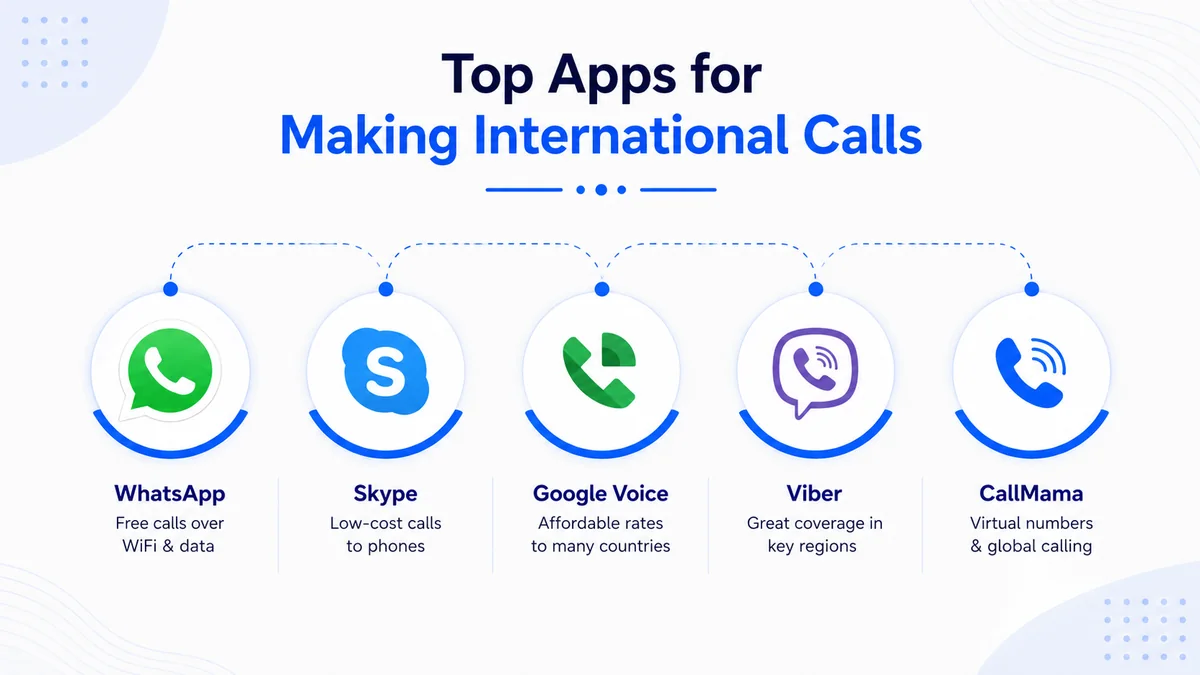
The five apps below cover the widest range of use cases and price points. Each was evaluated on call quality, pricing, country coverage, and ease of setup.
WhatsApp is the most widely downloaded of all the best apps for making international calls globally, with over 2 billion active users across 180+ countries. App-to-app audio and video calls are entirely free over WiFi or mobile data with no additional per-minute charge.
The main limitation is reciprocal: both callers must have WhatsApp installed — it does not support calls to regular mobile or landline numbers. It is the strongest choice for personal calls to family or friends who are already on the platform, and its end-to-end encryption makes it one of the more secure options in this category.
Skype
Skype pioneered internet calling and remains one of the most trusted best apps for making international calls for both personal and professional use. Skype-to-Skype calls are free; calls to mobiles and landlines start from around $0.02 per minute using Skype Credit.
Monthly subscription plans from $2.99 cover a set number of minutes to a specific country — a cost-effective structure for anyone who calls the same destination regularly. Skype runs on desktop, iOS, and Android, and supports screen sharing and group calls for up to 100 participants.
Google Voice
Google Voice offers free calling to US and Canadian numbers, with international rates starting as low as $0.01 per minute to many major destinations. It requires a US-based Google account, which limits access for callers based outside the United States.
For US residents calling abroad frequently, it stands out among the best international calling apps for its seamless integration with Gmail and Google Meet. One caveat: receiving international calls without a US SIM card is not natively supported.
Viber
Viber delivers free app-to-app calls globally and is one of the leading international calling apps in Eastern Europe, the Middle East, and South Asia — regions where its installed base is largest.
Viber Out, the paid feature, lets you call any mobile or landline worldwide at rates averaging $0.01 to $0.08 per minute depending on the destination country. Group calls support up to 20 participants on the free plan, making it a practical pick for distributed families or small remote teams in those regions.
CallMama
Unlike other best apps for making international calls, this platform combines outbound VoIP calling with dedicated virtual phone numbers — a feature most free apps do not offer. The app lets you choose a local number in any country so your contacts abroad see a familiar area code when you call, dramatically improving answer rates.
Rates are competitive with the best-paid calling apps, and the number activates instantly with no contracts or paperwork. It is the strongest choice for freelancers, remote teams, and businesses that need both outbound calling and a professional inbound presence.
If your calling needs include a dedicated US presence, pairing this app with virtual numbers in popular area codes is a practical complement — outbound calls look domestic rather than foreign, which meaningfully improves answer rates.
Stop Overpaying Every Time You Call Abroad
A virtual local number activates in minutes and works from any device — pair it with your preferred calling app and you'll never pay carrier roaming rates again.
What to Look for in a Calling App
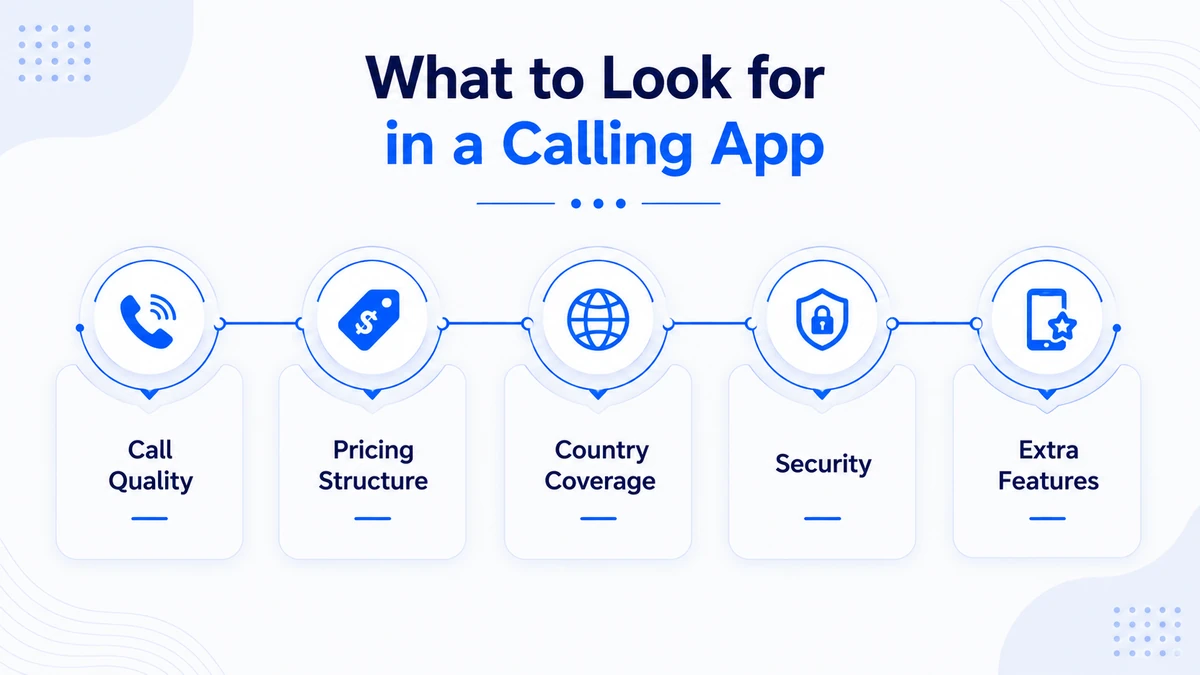
With dozens of options competing for your attention, these five criteria separate the best apps for making international calls from ones that frustrate you mid-call.
Call Quality
HD audio is now standard on leading apps, but quality degrades on slower connections. Look for apps that use adaptive bitrate encoding — they automatically reduce audio file size when signal weakens, keeping the call audible instead of dropping it entirely. Apps that route traffic through regional servers generally deliver better latency and fewer dropped calls than those routing everything through a single global hub.
Pricing Structure
Pay-as-you-go pricing suits occasional callers; monthly subscriptions deliver better value for anyone who calls the same destination weekly. Always verify whether the advertised per-minute rate applies to mobile numbers, landlines, or both — the gap is often significant, with landline rates sometimes double or triple the mobile rate.
Country Coverage
The best international calling apps support 100 or more countries at reasonable per-minute rates. Narrower apps may advertise very low rates to a handful of popular destinations but charge a premium for everywhere else. Always verify the exact rate to your specific destination before committing to any plan.
Security
End-to-end encryption is standard in leading apps including WhatsApp, Signal, and FaceTime. For business calls that involve confidential information, prioritize apps that publish clear encryption documentation and undergo regular independent security audits. Avoid apps that route calls through unencrypted servers if privacy matters to you.
Extra Features
Virtual numbers, call forwarding, voicemail-to-text, SMS support, and call recording distinguish full-featured VoIP platforms from bare-bones calling apps. If you are managing a business or a remote team, these extras can replace a traditional phone system at a fraction of the cost. For callers who want a dedicated US presence, adding a local number in a regional area code adds an important layer of credibility to every outbound call.
How to Get a Virtual Phone Number from CallMama
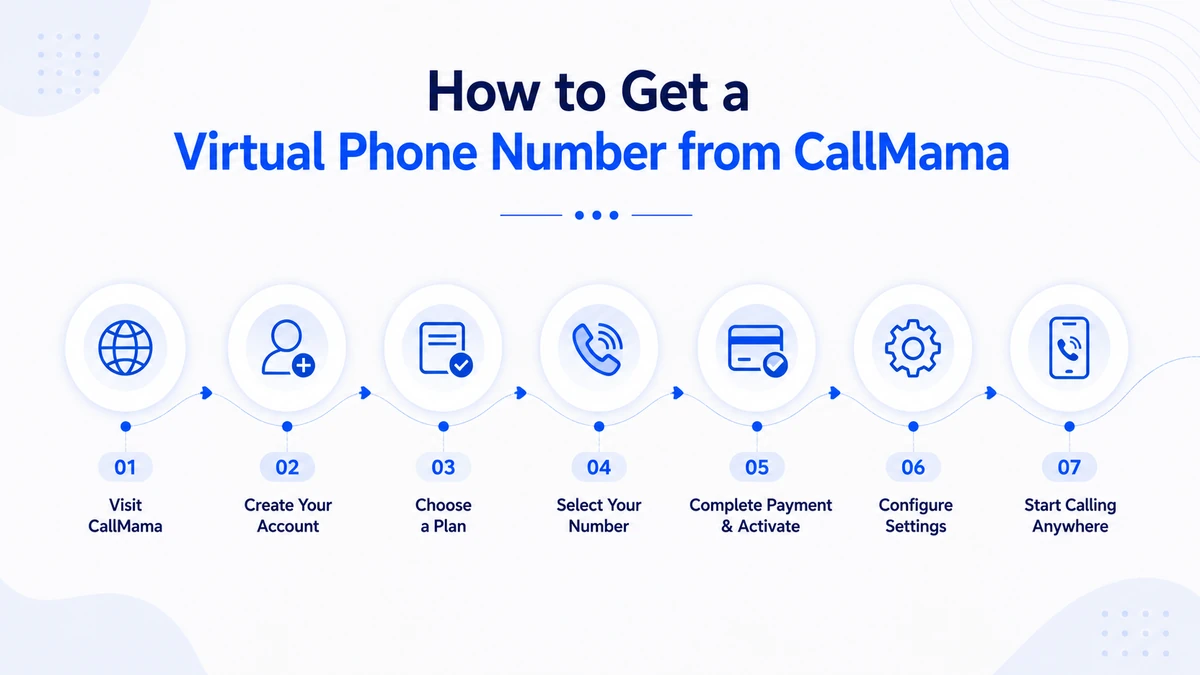
Beyond one-tap calling apps, many of the best apps for making international calls also support virtual phone numbers — a dedicated line that travels with you across devices and lets you receive calls even without a local SIM card or fixed WiFi.
Getting a virtual number activates a local phone presence in any country you target without requiring a physical address there. Here is how to set one up in under five minutes.
- Visit callmama.com or download the app from the App Store or Google Play.
- Create a free account using your email address — no paperwork required.
- Choose a plan — monthly subscription or pay-as-you-go, depending on your call volume.
- Select your virtual number — pick the country and area code that fits your audience.
- Complete payment and your number activates instantly — calls start working within seconds, no hardware required.
- Configure call forwarding, voicemail routing, or SMS handling to any device you already carry.
- Start making and receiving international calls right away, from anywhere in the world.
Free vs. Paid: Which Option Suits You?

The gap between free international calling apps and paid ones is smaller than most people expect — but the use cases are genuinely different, and picking the wrong category can cost you more than the calls themselves.
Free International Calling Apps
Free apps such as WhatsApp, Viber, and FaceTime are ideal when your contacts are already on the same platform and you have reliable WiFi or mobile data. They cost nothing, work globally, and deliver solid quality under good network conditions. The trade-off is exclusivity: you can only reach people who also use the same app — and not every contact will install a new platform just to take your call.
Paid International Calling Apps
Paid apps such as Skype, Google Voice, and CallMama let you call any phone number — mobile or landline — without the recipient needing an account. Rates are low (often $0.01–$0.05 per minute), and quality tends to be more consistent across varying network conditions. For businesses or anyone calling contacts who are unlikely to install a specific app, paid options are the better fit.
The smartest strategy for most callers is to use a free international calling app for personal contacts and a paid or virtual-number solution for professional outreach. Running both costs almost nothing and covers every scenario.
Common Mistakes When Choosing a Calling App
Even experienced users make preventable errors when selecting one of the best apps for making international calls. Here are the most common — and how to sidestep each one.
Assuming Free Means Zero Cost
Free apps consume mobile data, and international roaming data charges from your carrier can exceed the cost of a direct international call many times over. Always use WiFi when calling through any internet-based app abroad, or disable data roaming on your phone before crossing a border.
Ignoring the Mobile-vs-Landline Rate Difference
Most of the best apps for making international calls charge different per-minute rates for mobile numbers versus landlines. Some apps charge up to five times more for landline calls. Always verify both rates for your specific destination before choosing a plan — the difference can make a "cheap" app unexpectedly expensive.
Forgetting Time Zones
Calling at the wrong hour is the number-one reason international calls go unanswered — and it has nothing to do with the app you chose. Always check the destination country's local time before dialing, especially when reaching contacts in Asia-Pacific or South America where time differences exceed 10 hours.
Skipping the Security Check
Most major international calling apps now use encryption, but not all do. According to the FCC guidelines, security standards in internet-based calling continue to evolve — always verify an app's encryption credentials before discussing anything confidential over an unfamiliar platform.
Conclusion
The best apps for making international calls give you genuine flexibility: free calling to app users, affordable rates to any phone number, and virtual local numbers that open doors carrier plans cannot.
Each app in this guide fills a different role — WhatsApp for everyday personal calls, Skype and Google Voice for low-cost calls to any number, Viber for specific regional audiences, and CallMama for anyone who needs both outbound calling and a professional inbound virtual number. Free international calling apps work brilliantly when conditions are right, and paid options back you up when they are not.
The best apps for making international calls are not static — new features, pricing changes, and improved infrastructure keep shifting what is possible. Start with the free options, add a paid app or virtual number where your calling patterns demand it, and reassess every six months as your needs evolve.
If reaching international contacts is critical to your work or personal life, getting a dedicated virtual number makes every call more professional and more likely to be answered. The right setup costs less than a single roaming bill — take the next step today.
Your International Contacts Deserve a Number That Feels Local
A virtual phone number activates in minutes, works from any device anywhere on Earth, and makes every outbound call look like it is coming from the neighbourhood they trust.